XPPen Is Where Digital Artists Actually Find the Right Tool Instead of Settling for One

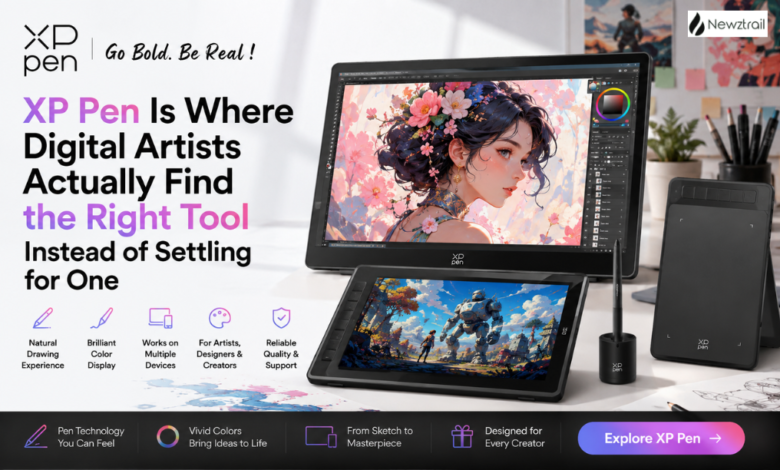
Shopping for a drawing tablet online usually turns into more of a headache than it should be. You end up comparing spec sheets across five different brand sites, unsure whether the cheaper option will actually feel good under your hand or whether the expensive one is worth the jump. XPPen removes most of that confusion by doing something refreshingly straightforward — building out a genuinely deep range of drawing tablets, pen displays, and accessories, all organized by what an artist actually needs rather than just throwing everything into one long undifferentiated list.
Let’s actually walk through what’s on the site, because once you see how it’s structured, it’s easy to see why so many artists, illustrators, and designers end up settling here instead of bouncing between other tablet brands.
The Drawing Display Lineup Is Where the Real Range Shows
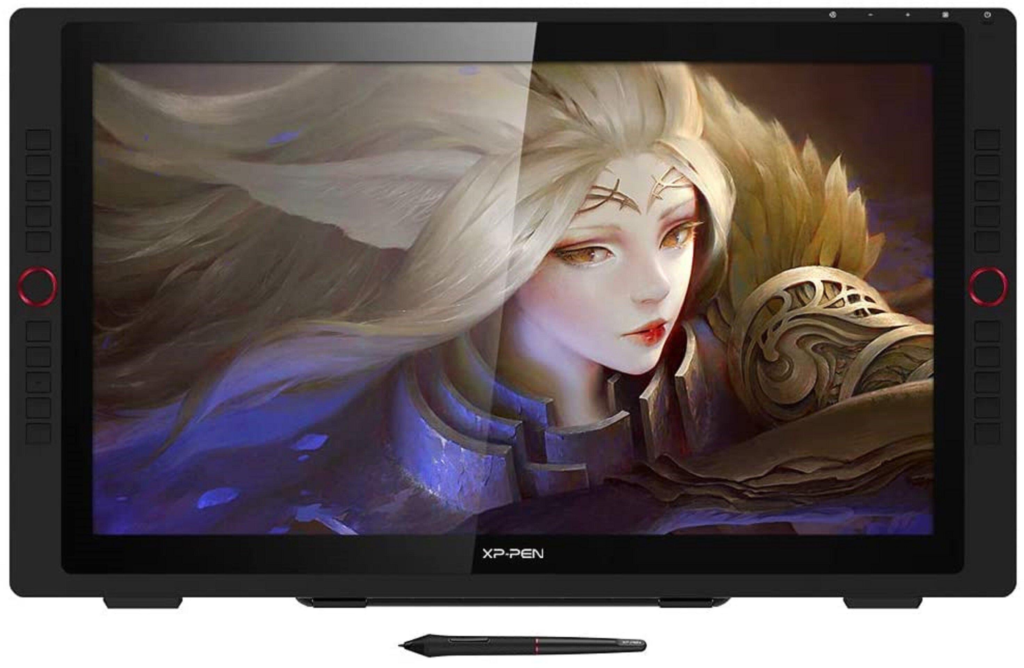
Pen displays sit at the top of the catalog, and XPPen splits them into tiers that actually make sense once you start comparing. The Artist Ultra series sits at the very top, built around advanced OLED screens and touch-enabled control for anyone who wants the most immersive, screen-accurate drawing experience the brand offers. Just below that, the Artist Pro series covers a wide range of sizes and screen qualities, with dial-based shortcut controls and color-accurate panels aimed at professionals who care about how faithfully their screen reproduces color while they work.
Then there’s the standard Artist series, which is genuinely the sweet spot for a huge number of buyers — laminated anti-glare displays, smart-chip styluses, and a proper range of screen sizes, all priced to be accessible without feeling like a stripped-down compromise. There’s even a Le Petit Prince themed edition in this line for anyone who wants their setup to feel a little more personal and playful rather than purely functional.
Screenless Drawing Tablets Cover Every Budget and Style
If a full pen display feels like more than you need right now, the screenless tablet lineup is just as thoughtfully built. The Deco Pro series leans into portability and a paper-like drawing surface, ideal for anyone who wants precision without lugging around a larger display. The standard Deco series and Deco Fun series scale that down further into smaller, lighter, more colorful options, with the Deco Fun line specifically designed to work well with Chromebooks and Android devices, which is a smart nod toward students and casual creators who aren’t necessarily working from a full desktop setup.
There’s also a genuinely fun LINE FRIENDS collaboration range for anyone who wants their gear to double as a bit of a personality statement, and the Star series rounds things out as an entry point for beginners or anyone who just needs a reliable, no-frills tablet for signatures, quick sketches, or quick digital notes rather than full illustration work.
Standalone Devices That Don’t Need a Computer at All
This is where XPPen genuinely stretches beyond what most drawing tablet brands offer. The Magic Drawing Pad and Magic Note Pad are standalone devices, meaning they don’t need to be tethered to a laptop or desktop to function. The Magic Drawing Pad uses an e-reader style display that’s easy on the eyes for long sessions, while the Magic Note Pad leans into note-taking with a companion app that turns handwritten notes into something far more organized and searchable than a paper notebook ever could be. For anyone who sketches or takes notes on the move, these are genuinely different from the rest of the catalog rather than just a smaller version of the same product.
The Pilot Pro editing console is a newer addition worth knowing about too, built specifically for video editors who want tactile, joystick-based control over their timeline instead of fumbling through keyboard shortcuts. It’s a nice signal that XPPen isn’t only thinking about illustrators — video editors and other creative professionals get real attention here as well.
Accessories That Actually Matter for a Serious Setup
The accessories section is deep enough to be its own destination. The stylus range alone covers several generations of smart-chip pens, each designed for specific tablet models, so you’re not stuck guessing whether a replacement pen will actually work with your setup. Beyond styluses, there’s a proper range of adjustable stands, ergonomic mounts, sleeve cases, and even a folio keyboard and smart keyboard for anyone who wants their tablet to double as a more complete portable workstation.
The creative derivatives section is a nice touch too, covering things like a dedicated pen holder with instant nib replacement, alcohol-based marker pens, desk pads, and even a paintable mascot figure for anyone who wants a fun side project alongside their actual drawing work. It’s clear this section wasn’t bolted on as an afterthought — there’s real thought behind rounding out a full creative desk setup rather than just selling the core hardware and leaving everything else to a third party.
Bestsellers and What People Are Actually Buying
If you’re not sure where to start, looking at what’s currently front and center on the site tells its own story. The Artist Pro 16 (Gen 2) has built a strong reputation among reviewers and everyday users alike for its frictionless setup and smooth pen feel, often mentioned as the kind of display that lets you spend more time actually creating and less time fighting with your equipment. The Artist Ultra 16 has quickly become a favorite for anyone stepping up into OLED-level color and touch-screen convenience, while the newer Artist 16 3rd and Artist Pro 27 (Gen 2) are pulling serious attention for combining a larger working canvas with sharper color accuracy.
On the accessory side, the X4 and X3 Pro smart chip styluses are consistently among the most talked-about products, largely because of how naturally they replicate the feel of drawing on paper compared to older-generation pens. And the standalone Magic Drawing Pad and Magic Note Pad continue to draw attention from a slightly different crowd — people who want something closer to a digital sketchbook or notebook rather than a full production tool tethered to a computer.
Deals and Ongoing Rewards Worth Knowing About

XPPen runs seasonal promotional events throughout the year, and it’s genuinely worth checking the site before finalizing a purchase, especially around major shopping periods when discounts on tablets and displays tend to be at their most generous. Beyond the seasonal sales, there’s an active community rewards program built around points that can be earned and redeemed over time, which is a nice incentive for anyone who’s likely to stick with the brand for future upgrades or accessory purchases rather than buying once and moving on.
There’s also an affiliate and referral structure in place for creators who want to earn through recommending gear they already use, and a dedicated enterprise and business application path for studios, schools, and companies that need tablets in bulk rather than as an individual purchase. Both are worth knowing about even if you’re shopping as an individual, since they hint at how seriously the brand treats its wider community rather than just its one-time customers.
Why It’s Genuinely Worth Buying From XPPen
The reason so many artists end up sticking with XPPen long after their first purchase comes down to a handful of things that actually matter once you’re deep into a project. The pen-to-screen accuracy across the display lineup is consistently praised by reviewers and working artists, and the smart-chip stylus technology means pressure sensitivity and tilt response feel natural rather than laggy or inconsistent, which matters enormously once you’re doing detailed shading or line work for hours at a stretch.
Compatibility is another quiet strength. Most of the tablet lineup works across major operating systems, and a good portion of the smaller tablets are built specifically to support Android and Chromebook devices too, which is a genuinely rare level of flexibility compared to competitors that lock you into one ecosystem. On top of that, free drawing software is available directly through the site, so newcomers aren’t forced to buy expensive software just to start using their new tablet on day one.
Customer support is handled directly rather than outsourced to a vague ticketing system, with driver downloads, firmware tools, and a proper FAQ and developer center all easily accessible, which matters a lot if you ever run into a setup issue and want an actual fix rather than a canned response. And because the brand operates across a genuinely wide number of countries with local storefronts and local support contacts, buying from XPPen doesn’t feel like ordering from an anonymous overseas warehouse — there’s a real regional presence behind it.
Put all of that together — a drawing display lineup that scales from entry-level to genuinely professional, a screenless tablet range built for every budget and use case, standalone devices that break away from the usual tethered setup, a deep and genuinely useful accessory catalog, bestsellers that reflect real demand from working artists, active seasonal promotions, and a rewards program that keeps giving back long after the first purchase — and XPPen stops looking like just another tablet brand competing on price. It starts looking like the place a serious digital artist actually settles into for the long run.
If you’ve been putting off upgrading your setup, or you’re just starting out and unsure which tablet actually fits how you work, this is a genuinely solid place to start looking. There’s a strong chance the right tool for you is already sitting in the catalog, ready to ship.