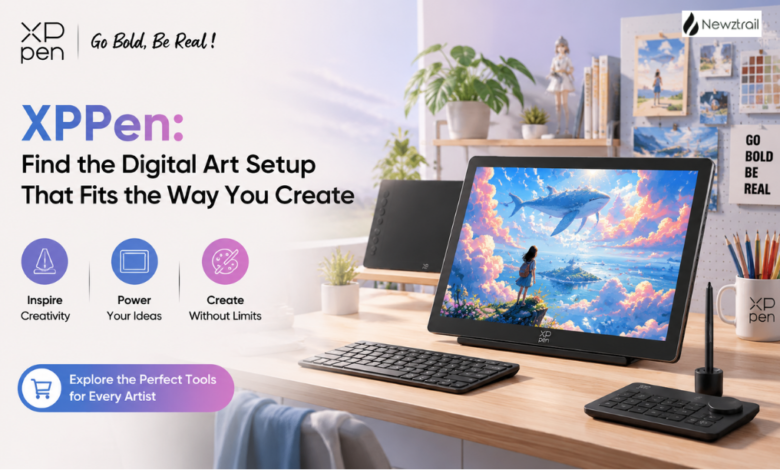
Choosing a drawing tablet is rarely just about picking a screen or stylus. The right setup should feel natural when you sketch, precise when you work on details, comfortable when you spend hours creating, and flexible enough to follow your ideas wherever they go. That is where XPPen stands out. Its range covers drawing tablets, pen displays, standalone creative devices, styluses, accessories and editing tools, giving artists plenty of ways to build a setup around their own workflow.
Whether you are learning digital illustration, working professionally, designing characters, creating comics, editing images or simply looking for a better way to sketch, XPPen has products designed around those different needs. The selection is broad without losing sight of what matters most: making digital creation feel more direct, responsive and enjoyable.
Start With the XPPen Category That Matches Your Style
The easiest way to explore XPPen is to think about how you prefer to create. If you enjoy drawing directly on a display, the Artist family of drawing displays is the natural place to begin. These products put the artwork right beneath your hand, creating a more immediate connection between the pen and the canvas.
For creators who prefer using a separate monitor, XPPen offers its Deco, Deco Pro, Deco Fun and Star drawing tablet families. These tablets pair with a computer or compatible device while giving you a dedicated surface for drawing, editing, writing and other creative tasks. Different designs and feature sets make it possible to choose something simple and portable or something more focused on a demanding creative workflow.
There are also newer options for people who want more freedom from a traditional desk. The Magic Drawing Pad brings a standalone approach to digital art, while the Magic Note Pad combines colour note-taking with creative possibilities. XPPen has also expanded into editing controls with its Pilot Pro Editing Console, giving creators another way to handle shortcuts and workflow controls.
Drawing Displays for a More Natural Creative Experience
The Artist range is especially appealing if you like the feeling of drawing directly on your work. Instead of watching a cursor move on another monitor, you can see your illustration beneath the stylus and make adjustments in a much more intuitive way.
Within the Artist family, there are options aimed at different creative preferences. The Artist Ultra range focuses on premium display experiences, with OLED screens, slim designs and touch-oriented control solutions. The Artist Pro range takes things further for creators who want detailed displays, strong colour performance, advanced styluses and workflow controls. The standard Artist range gives shoppers another route into direct-on-screen creation, with portable and larger-format choices.
XPPen itself highlights digital drawing, graphic design and other creative applications as key uses for its displays and tablets.
Drawing Tablets for Flexible Desk Setups
If you already have a monitor you love, a traditional drawing tablet can be an excellent choice. XPPen’s Deco family is particularly worth exploring because it offers several approaches to the familiar pen-tablet format.
The Deco Pro family is aimed at creators who want a more advanced workspace. Its design combines a responsive drawing surface with shortcut controls, while selected models add Bluetooth connectivity for a cleaner desk setup. The Deco family itself offers compact and larger working surfaces, wireless options and modern stylus technology, so you can choose according to the amount of workspace you prefer.
For someone who is new to digital art, the Deco Fun family keeps things approachable and creative. The Star family provides another practical option for drawing, writing, editing and everyday digital tasks. The result is a range that does not force every artist into the same kind of setup. You can choose the tablet that fits your space, software and creative habits.
The Magic Drawing Pad Is Made for Creating Away From the Desk
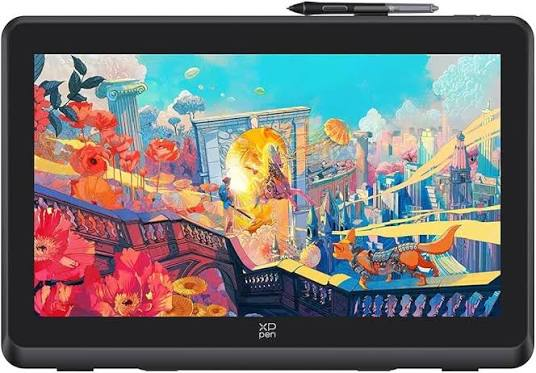
One of the most interesting products in the current XPPen range is the Magic Drawing Pad. It is designed as a standalone creative device, meaning you can take your digital art setup with you rather than treating creativity as something that only happens at a desk.
Its X-Paper display is designed to give the screen a more paper-like feel, while the X3 Pro Slim Stylus is built for precise and comfortable strokes. The combination makes sense for artists who like sketching on the move, travelling between locations or simply wanting the freedom to draw somewhere other than in front of a computer. XPPen describes it as a portable studio experience, and that is a useful way to think about its appeal.
The Magic Drawing Pad is also attractive because it removes some of the distance between an idea and the finished sketch. When inspiration appears, you can simply pick it up and start creating. For illustrators, students, hobby artists and creators who like working in different environments, that flexibility can make a real difference.
Styluses That Make the Tablet Feel Personal
The stylus is arguably the part of a drawing setup you interact with most, so it is worth paying attention to XPPen’s dedicated pen selection. The brand offers different styluses designed for compatible drawing tablets and displays, including X series smart-chip pens.
These pens are designed around pressure sensitivity, responsive strokes and a natural drawing feel. Some models include tilt support, shortcut controls or other features that can make common actions quicker. The XPPen product range also includes the X4 Smart Chip Stylus and several X3 Pro stylus options, giving compatible-device owners a way to choose the pen experience that suits their workflow.
Accessories That Complete the Setup
XPPen’s range does not stop at the main device. The brand also offers accessories for drawing tablets and displays, along with creative products that can make a workspace more practical.
The availability of accessories directly from a specialist brand is convenient when you want your equipment to work together as a complete system.
Popular XPPen Choices Worth Exploring
Some of the products currently highlighted by XPPen are particularly interesting for shoppers deciding where to start. The Artist Pro family is a strong choice for creators who want a dedicated display with advanced creative features and a professional feel. The Artist Ultra models are appealing when display quality and a streamlined design are high on the wish list.
The Deco Pro family is another standout for artists who prefer a computer-based setup. Its combination of drawing control, shortcut functionality and wireless connectivity makes it an attractive option for a tidy, efficient creative workspace.
For portable creativity, the Magic Drawing Pad is one of the easiest products to notice. Its standalone design, paper-inspired display and dedicated stylus give it a different role from a conventional drawing tablet. XPPen also currently places the Magic Note Pad among its newer products, making it worth exploring if your creative routine includes writing, notes and visual ideas.
Deals and Offers Can Make the Timing Even Better
If you already know which type of XPPen device you want, it is worth checking the brand’s current store promotions before buying. XPPen highlights offers and updates through its official website, giving shoppers a chance to discover promotions around selected products, accessories and creative equipment.
This is especially useful when you are building a complete setup rather than buying a single device. A promotional price on a tablet, display or accessory can make it easier to put together the equipment you actually want without compromising on the features that matter to you.
The best approach is simple: decide what kind of creative experience you want first, then look at the current offers. That way, a deal adds value to a purchase you already wanted instead of convincing you to buy something that does not suit your workflow.
Why XPPen Is Worth Choosing
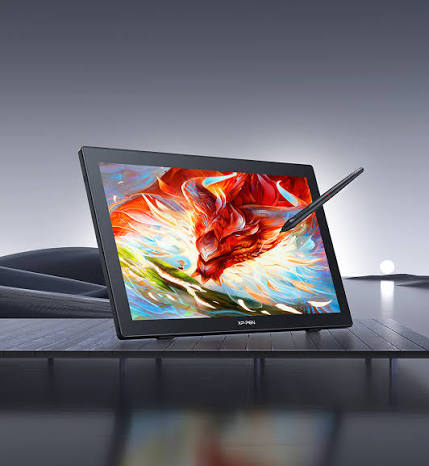
XPPen’s biggest advantage is the range of ways it lets you create. You can draw directly on a professional display, use a compact tablet with your existing computer, work wirelessly from a desk, sketch on a standalone creative pad or fine-tune your workflow with dedicated controls.
It is a practical choice when you want creative hardware that can keep pace with changing projects, new techniques and the way your workflow develops over time.
Find the XPPen Setup That Makes You Want to Create
The best creative equipment is the equipment that makes you want to pick up the pen and start. XPPen has built its current range around that idea, offering options for beginners, hobby artists, working designers, illustrators and creators who want a more mobile workflow.
From the direct drawing experience of the Artist displays to the flexible Deco tablets, portable Magic Drawing Pad and dedicated styluses, there is plenty to explore. Add the current promotions and accessory range, and XPPen becomes an appealing destination for anyone ready to make digital creation a more natural part of everyday life.
If you are choosing your next drawing device, start by thinking about where and how you create. Once you know that, XPPen makes it much easier to find a device that feels like an extension of your creative process rather than another piece of technology standing between you and your ideas.