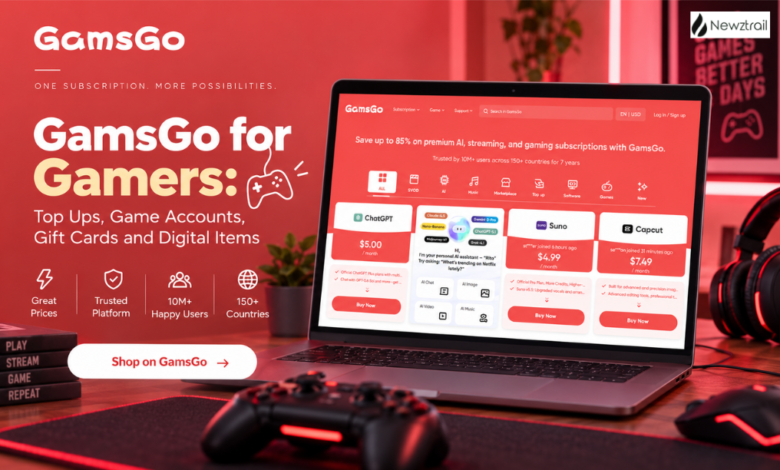
Not every gaming purchase is about buying the game. Sometimes it’s just currency for whatever you’re already playing. A pass. A gift card. Maybe one specific item you’ve had your eye on, or an account you’d rather buy than grind out yourself. GamsGo’s whole gaming section is built around that reality — it’s one marketplace instead of five browser tabs.
Right now it’s split into Top Ups, Game Accounts, Gift Cards, Game Coins, and Game Items. Sounds like a small distinction but it isn’t, really — each one solves a different problem. Recharge your own account. Buy someone else’s. Hunt down a specific item. Grab currency without wading through unrelated listings. Or just get a gift card if flexibility matters more than anything specific.
Start With a Game Top Up
This is the easy entry point. Free Fire, PUBG MOBILE, Roblox, Mobile Legends, Genshin Impact, Fortnite, Valorant, Honkai: Star Rail, Zenless Zone Zero, COD Mobile, Brawl Stars, Clash of Clans, Pokémon GO, Wuthering Waves, Delta Force, Marvel Rivals, Blood Strike — all currently listed.
If you’ve already got the account and just want to add currency, this is the whole point. No need to buy some random unrelated account when all you actually wanted was more diamonds.
There’s direct top-up support for select titles too — GamsGo’s Help Center says the currency or items go straight to your account via UID or Player ID. Diamonds, vouchers, passes, that kind of thing.
Genshin Impact Is a Good Example
Genshin’s page shows how granular this can get. Genesis Crystals, Blessing of the Welkin Moon — both tied to your UID and server.
Handy if you want it landing directly in your own account. Also handy if you’re buying for a friend, since it’s all UID-based rather than needing login credentials or anything weird like that.
Know what you want already? Find the game, pick the product, check your account info’s right, pick the offer. That’s basically it.
Free Fire and Other Popular Games
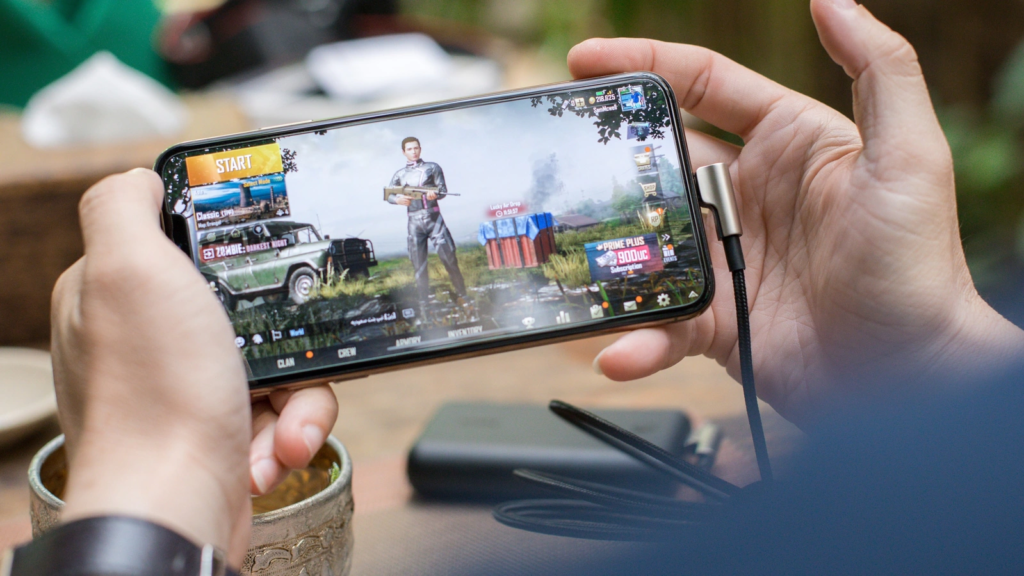
Free Fire’s got diamond packages split by region. PUBG MOBILE has UC packages that vary the same way.
Worth actually reading the regional stuff before buying — top-ups can be tied to your specific server or account type, and GamsGo puts that info right on the page rather than burying it somewhere. Same story with Roblox, Valorant, Fortnite, Mobile Legends — check the listing first, don’t just assume.
Game Accounts for Players Looking for Something Different
Sometimes recharging your own account isn’t the goal — sometimes you want a different one entirely. Roblox, Fortnite, Minecraft, Valorant, GTA Five, League of Legends, Genshin Impact, Free Fire, PUBG MOBILE, EA Sports FC, Steam, Apex Legends — all covered.
Beats grinding one out from zero, or starting over on something you’ve already sunk hours into once and don’t want to repeat. That said — read the listing. Seller details, access info, description. These are marketplace listings, not a fixed catalogue, so the specifics change from one to the next.
Game Items for Players Who Want Something Specific
Sometimes you don’t want an account or currency — you want one particular thing. This section covers Fortnite, Roblox, Minecraft, Pokémon GO, Wuthering Waves, Valorant, Free Fire, GTA Five, Clash of Clans, Genshin Impact, Diablo IV, Path of Exile, Helldivers, and more.
Makes sense if you already know the exact item and don’t want to buy generic credit and figure out what to spend it on afterward. Straight to the thing you actually want.
Game Coins Keep Things Flexible
Coins get split out on their own — Roblox, EA Sports FC, Path of Exile, Diablo IV, ELDEN RING, Albion Online, Delta Force, Pokémon GO, Old School RuneScape, Final Fantasy XIV.
Splitting it this way just saves time, honestly. You’re not scrolling past account listings and items when all you wanted was currency. If progression or customization in a game runs on its own currency, this is where you go straight to it.
Gift Cards for Gamers and Digital Stores
Apple, PlayStation, Xbox, Nintendo, Roblox, Free Fire, Valorant, Razer, Google Play, NEXON.
Good option when you know the platform but don’t want to commit to something specific. Also just an easy gift — whoever gets it decides what to do with the balance.
One thing though: check the region and redemption terms before buying. Digital gift cards are notorious for regional lock-in, and picking the wrong version is a fast way to end up with a card you can’t actually use.
There Is More Than Gaming on the Top Up Centre
Oddly enough, the Top Up centre isn’t purely gaming. There’s recharge options for ChatGPT, Gemini, Tinder too — plus software and subscriptions like YouTube, Telegram, Xbox, CapCut.
And a whole Live Stream section — SUGO, Tango Live, Habi, Chamet, Bigo Live, Xena Live, Party Star, Poppo Live, Yalla Ludo, Likee, LivU, StarMaker, Migo Live.
So it’s a lot broader than a typical recharge site. Once you’re already there for a game top-up, there’s other stuff worth poking around for too.
Current Deals Make Top Ups More Attractive

Discounts are live right now on Roblox, COD Mobile, Last War: Survival, Whiteout Survival, Arena Breakout, Wuthering Waves, Fortnite.
These shift constantly, so really the only move is checking the live page for whatever you’re playing. Good habit around seasonal events or new content drops especially — those are usually when you’re going to spend anyway.
Some games get their own limited promos too. Valorant’s currently got discounted Valorant Points running. Brawl Stars has deals on Gems and the Brawl Pass right now.
Why GamsGo Makes Sense for Regular Gamers
Mainly just choice. Nothing’s forced into one format here — recharge your account, browse a different one, hunt a specific item, grab flexible credit through a gift card. Whatever actually fits what you’re trying to do.
And because it’s a marketplace, individual listings carry their own info — seller, description, conditions — so there’s something to actually check before you commit. Not one generic package pretending to cover every use case.
Good fit if you already know roughly what you want but want to compare a couple ways of getting it first.
Check GamsGo Before Your Next Gaming Purchase
Planning to buy currency, a pass, a gift card, an item — worth putting GamsGo in the mix before you commit elsewhere. Start with the game, pick the category, actually read the listing.
Match what you’re buying to what you actually need — direct top-up if you’ve got the account already, or accounts/items/coins/gift cards if you’re after something else. And check the regional stuff every time, because that’s where purchases usually go wrong.
Broad catalogue, deals that keep changing, a bunch of different ways to actually buy — decent reason to make it a regular stop once you know what you’re spending on.