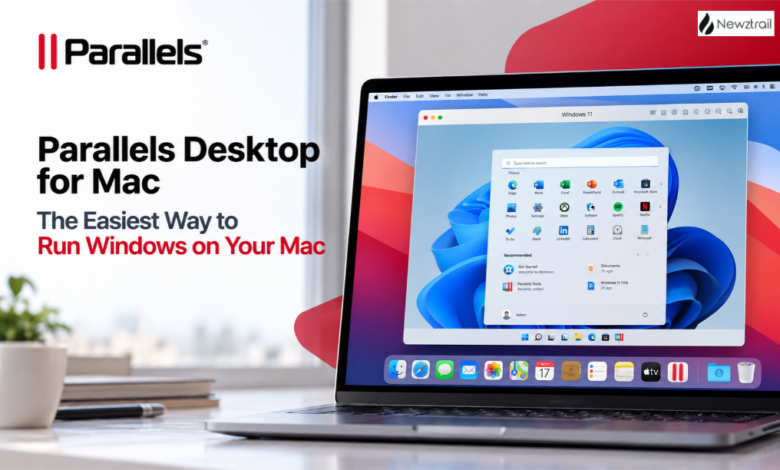
Love your Mac but still need Windows for that one accounting program, a work app, an Excel feature or your favourite PC game? You’re definitely not alone. For years, Mac users had to choose between switching computers, rebooting into a different system or simply going without. Parallels Desktop for Mac fixes all of that. It lets you run Windows on your Mac, side by side with macOS, without rebooting, and it works on both Intel Macs and Apple silicon Macs. Here’s everything you need to know about the Parallels product range, which edition suits you best, the offers worth grabbing and why so many Mac users call it the best decision they’ve made.
Run Windows on Mac Without Rebooting
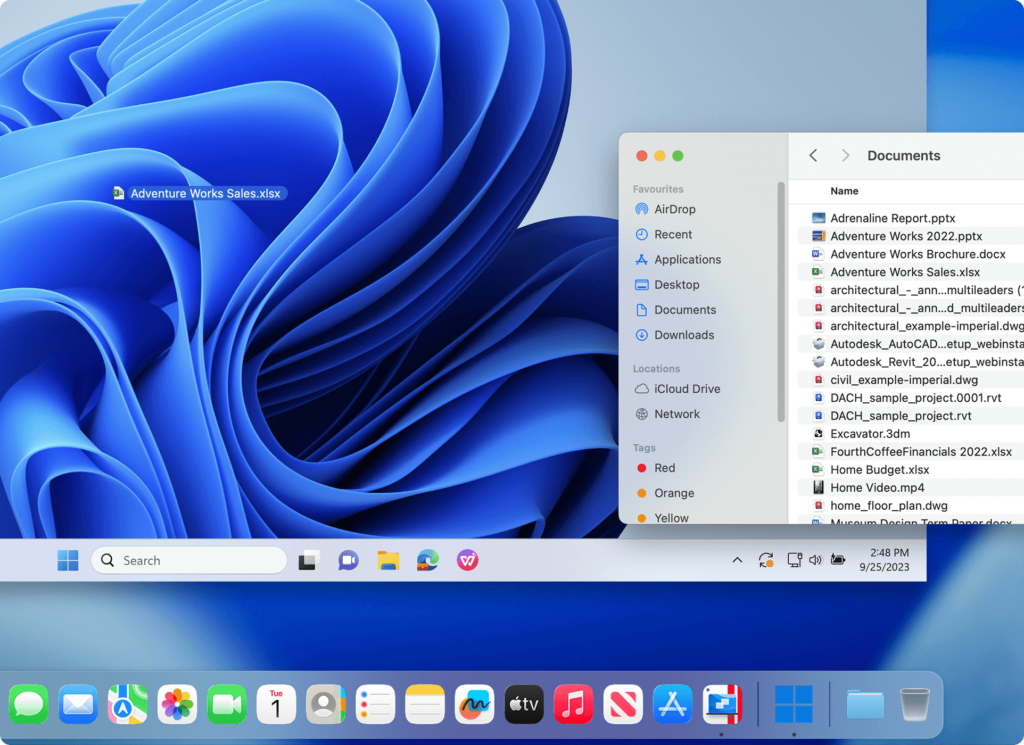
The magic of Parallels Desktop is how natural it feels. Instead of restarting your Mac to switch systems, you simply open Windows like any other app. Your Windows programs run right alongside your Mac apps, and you can move between them in a second. Parallels makes Windows feel as if it was designed for Mac, so you can use your Mac files, keyboard, trackpad, camera and mic, sound, graphics and even Touch ID inside Windows. Setup is refreshingly easy too. You can get Windows in one click, with no technical expertise needed, which is why even first-time users are up and running in minutes.
Authorized by Microsoft for Apple Silicon Macs
This is one of the biggest reasons to choose Parallels. Parallels Desktop is the only solution authorized by Microsoft to run the latest version of Windows on Apple M-series Macs. For anyone using a newer MacBook Air, MacBook Pro, iMac or Mac mini, that’s real peace of mind. It means you’re using a trusted, officially supported way to run Windows, and you can rely on it for work, study and everything in between.
Thousands of Windows Apps on Your Mac
Once Windows is running, the possibilities open right up. You can run thousands of Windows applications on your Mac, including Microsoft Office, accounting software, trading platforms, SAP, Matlab and many more. Mac users who need Windows-only Excel features will find Parallels especially useful, since it gives you full access to Windows Excel right on your Mac. Designers, engineers and professionals using industry-specific software can finally keep everything on one machine instead of juggling two computers. One reviewer on the Parallels site described exactly that, saying Parallels meant they no longer needed two separate computers for Windows-only design and e-learning tools.
Play Windows Games on a Mac
Gamers, this one’s for you. Parallels Desktop supports DirectX and OpenGL graphics acceleration, which means you can play plenty of Windows games on your Mac. There’s even a dedicated gaming section on the site to help you get started. If your favourite titles are PC-only, Parallels is one of the easiest ways to enjoy them without buying a separate gaming PC.
Not Just Windows: Linux and macOS Virtual Machines Too
Parallels isn’t only about Windows. You can also run Linux and macOS in a virtual machine, which is fantastic for developers, students, testers and anyone curious to explore different operating systems. Whether you want a safe place to test software, learn Linux, or keep a separate macOS environment for projects, Parallels makes it easy to spin up a new virtual machine whenever you need one.
Parallels Desktop Standard Edition: Perfect for Home and Personal Use
The Standard Edition is ideal for everyday users at home or work who want to run Windows apps alongside their Mac apps. It gives you everything you need to run Windows and Windows applications, use Linux and macOS virtual machines, access Windows Excel features and enjoy smooth everyday performance. What’s great is the flexibility. Standard Edition is available either as an annual subscription or a one-time perpetual licence, so you can pick whichever payment style suits you. Subscribers also get major updates to support new versions of macOS, Windows, Linux and new Mac models, plus unlimited phone and email support.
Parallels Desktop Pro Edition: The Most Popular Choice
The Pro Edition is the bestseller, and it’s easy to see why. It’s designed for developers, creators and power users who need more resources and advanced tools. You get everything in Standard, plus much more virtual memory and processing power for each virtual machine, so you can run graphics-intensive Windows apps and multiple virtual machines at the same time. Pro also includes a command line interface, the new Parallels AI package for developers, and the ability to develop, automate, test and debug software across Windows, Linux and macOS simultaneously. There’s support for developer tools like Visual Studio Code, Vagrant and GitHub, plus a network conditioner that simulates tricky network conditions for testing. If you’re a developer, designer or heavy multitasker, Pro is the one to go for.
Parallels Desktop Business and Enterprise Editions
For teams, the Business Edition adds everything organisations need to manage Parallels across multiple Macs. It includes centralized administration and license management, a single volume license with a License Portal, sublicense keys and multiple administrators. IT teams can provision Parallels using Mac Management tools or the Parallels deployment package, automate CI/CD workflows and allow selected users to download a corporate Windows virtual machine. Billing is business-friendly too, with prorated extra seats and options for purchase orders and quotes. Larger organisations can talk to Parallels about the Enterprise Edition for even more control.
Parallels Toolbox: A Bonus Bundle of Handy Tools
Parallels Toolbox is a clever extra that lots of people love. It’s a collection of simple, one-click productivity tools designed to make everyday tasks easier, from recording your screen and taking screenshots to downloading videos, cleaning up your drive and keeping your Mac awake. As an added bonus, Parallels Desktop buyers get access to a big bundle of free productivity tools, so you’re getting even more value with your purchase.
Parallels Solutions for Business: RAS, DaaS and Secure Workspace
Beyond Parallels Desktop, the Parallels range includes powerful solutions for businesses delivering apps and desktops to their teams. Parallels RAS, or Remote Application Server, simplifies virtual app and desktop management, and it also works beautifully with Microsoft Azure Virtual Desktop. Parallels DaaS streams applications and desktops from the cloud, anytime and anywhere. Parallels Secure Workspace provides zero trust secure remote access to apps, desktops and files straight from the browser, while Parallels Browser Isolation offers a secure way to access web and SaaS applications. It’s a complete toolkit for modern, flexible workplaces.
Parallels Deals: Free Trial, Student Discounts and More
Here’s the good news for anyone still deciding. Parallels offers a free trial of Parallels Desktop, so you can test it on your own Mac with your own apps before buying. Every purchase also comes with a money-back guarantee, and you can cancel anytime during your initial month if you’re not completely satisfied. Students and educators can get Parallels Desktop at a special discount through the education programme, which includes an AI package for education with the Pro Edition. There are also dedicated programmes for military, government and nonprofit organisations. If you already own an older version, you can upgrade to the latest version at a discounted rate. And keep an eye on the homepage, because Parallels regularly runs limited-time promotions.
Why Mac Users Trust Parallels

Parallels Desktop is trusted by millions of Mac users worldwide, and companies like Deloitte, Samsung, Walt Disney, Comcast, GoDaddy and Snowflake rely on it too. It earned a Top Rated award, and customer reviews are full of glowing praise, with users calling it the best virtual machine app for macOS and one of the best decisions a Mac user can make if they need Windows apps. Subscribers get premium around-the-clock phone, chat and email support, and there’s a helpful community forum, technical documentation, webinars and a Trust Center for complete peace of mind.
Which Parallels Edition Should You Choose?
If you mainly want to run Microsoft Office, accounting software or a handful of Windows apps, the Standard Edition is perfect. If you’re a developer, creator, gamer or power user who wants more performance, multiple virtual machines and advanced tools, go for the Pro Edition. And if you’re rolling Parallels out across a team or company, the Business Edition gives your IT team full control. Not sure yet? Start with the free trial and see how it feels.
Get Parallels Desktop for Mac Today
If you’ve ever wished your Mac could do just a little bit more, Parallels Desktop is the answer. Run Windows, Linux and macOS side by side, keep all your apps on one machine and enjoy a smooth, Microsoft-authorized experience on Apple silicon. Head to parallels.com, start your free trial or choose your edition, and enjoy the best of both worlds on your Mac.