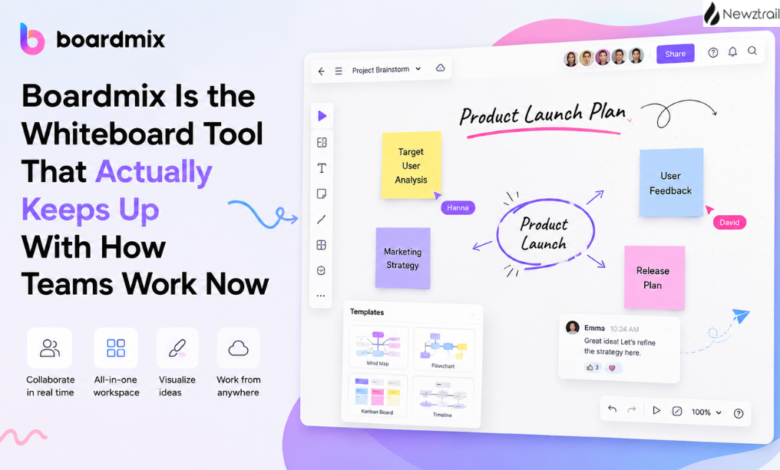
Most online whiteboards start out promising and then quietly fall apart the moment a real team tries to use them for anything beyond a quick brainstorm. The canvas gets cluttered, the AI features feel bolted on as an afterthought, and suddenly everyone’s back to juggling five separate apps just to plan a project properly. Boardmix takes a different approach — it builds the whiteboard, the diagramming tools, and the AI assistance into one connected workspace, and it’s clearly designed by people who’ve actually sat through a messy planning meeting and wanted something better.
Let’s walk through what’s actually inside the platform, because once you see the range of tools packed into it, it’s easy to understand why so many teams end up sticking with it long after the free trial.
The Core Product Lineup Goes Further Than a Basic Whiteboard
Boardmix itself is the flagship product — a real-time collaborative whiteboard where teams can sketch, plan, and build ideas together on an infinite canvas. But the company doesn’t stop there. There’s a dedicated Boardmix SDK for developers who want to embed whiteboard functionality directly into their own applications, which is a smart move for any product team that wants collaborative visual tools without building one from scratch. Then there’s Boardmix AI, which brings a genuinely large library of integrated AI agents into the workspace, turning the whiteboard from a passive canvas into something that can actually help generate and organize ideas for you.
Beyond the whiteboard itself, the broader Boardmix family includes Pixso, a UI and UX design tool positioned as a serious alternative for teams currently paying for more expensive design software, and Presenti AI, a presentation generator built for anyone who’d rather describe what they need and let the tool assemble the slides. Having all of these under one roof means a team’s whiteboarding, design, and presentation work can stay connected instead of scattered across unrelated subscriptions.
Diagramming Tools Built for Actual Business Use
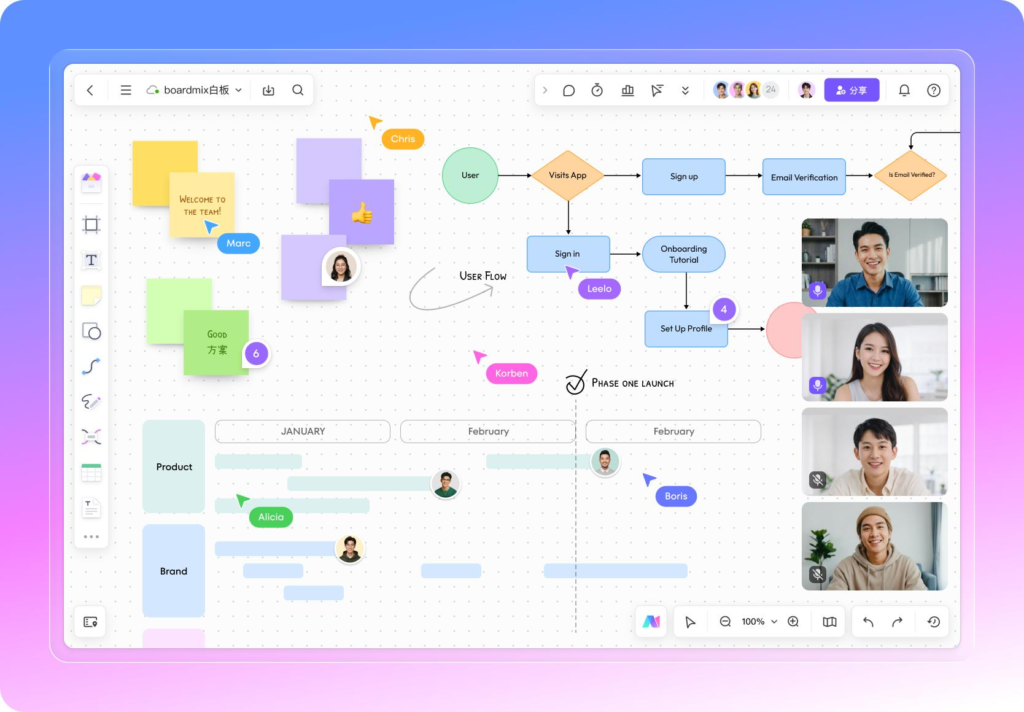
The diagram category is where Boardmix really shows its range. Mind mapping is there, obviously, but so is a proper flowchart maker, ER-diagram and UML diagram tools for anyone working on technical documentation, and an organizational chart builder for teams that need to visualize reporting structures clearly. It doesn’t stop at the basics either — there’s a dedicated SMART goals setting tool, a general-purpose technical diagram maker, a business model canvas, a customer journey map builder, and an architecture diagram tool for anyone mapping out systems or infrastructure.
This is the kind of range that usually requires piecing together three or four different specialized tools. Having it consolidated into one canvas means a product manager building a customer journey map and an engineer sketching a system architecture diagram can work in the exact same environment, even on completely different tasks.
Workflow Tools That Match How Teams Actually Operate
Beyond static diagrams, Boardmix leans heavily into workflow-focused tools that fit real team rhythms. There’s a scrum board built specifically for agile teams running sprints, a brainstorming space designed for open-ended ideation sessions, and dedicated templates for hybrid and remote team collaboration. Research and analysis gets its own category too, which is a nice touch for teams that need to synthesize findings visually rather than burying them in a document nobody reads.
Meetings and workshops have their own toolkit as well, built around structured facilitation rather than a blank canvas that leaves everyone staring at each other wondering where to start. And for anyone specifically focused on product development, there’s a product planning space designed to take a rough idea all the way through to a structured roadmap.
The AI Side Is Where Boardmix Really Pulls Ahead
This is arguably the most compelling part of the whole platform. Boardmix’s AI tools aren’t a single gimmicky chatbot slapped onto the homepage — they’re broken into genuinely useful categories. On the creativity and diagramming side, there’s AI-powered mind mapping, AI flowchart generation, an AI user journey map builder, and even an AI fishbone diagram tool for root-cause analysis, which is the kind of niche but genuinely useful feature that shows real thought went into the AI roadmap rather than just chasing buzzwords.
The planning and processing side covers AI-generated business model canvases, AI SWOT analysis, and an AI value chain tool, all of which take something that normally requires a blank page and a lot of staring, and instead gives you a structured starting point in moments. Strategy and analysis tools go even further, with an AI user persona generator, an AI SMART goals tool, and an AI BCG matrix generator, all genuinely useful for anyone doing product or marketing strategy work who doesn’t want to build these frameworks from scratch every single time.
Then there’s the smart creation category, which includes the AI whiteboard itself, an AI presentation generator, and even an AI resume builder, which is a nice reminder that Boardmix isn’t only built for corporate strategy sessions — it’s flexible enough to help with something as personal as job hunting too.
Templates Make Getting Started Almost Effortless
One of the most underrated parts of the platform is the template library. Rather than opening a blank canvas and wondering where to even begin, you can start from a mind map template, a flowchart template, an organizational chart template, a concept map template, a SWOT analysis template, or a project timeline template, among many others. Each one is built to be immediately usable, so instead of spending the first twenty minutes of a session just setting up structure, teams can jump straight into actually filling in the content that matters.
This matters more than it might seem at first glance. A huge amount of the friction in adopting a new collaboration tool comes from the blank-page problem — nobody wants to be the person staring at an empty board while everyone waits. Boardmix’s template range essentially removes that barrier entirely.
Real-Time Collaboration That Scales With Teams
Boardmix is built to support large groups working together simultaneously, which matters a lot once a team grows beyond a handful of people. Communication tools like mentions, comments, and emoji reactions are baked directly into the canvas, so feedback doesn’t have to happen in a separate chat app while everyone tries to cross-reference what’s actually being discussed on the board. For anyone running distributed or hybrid teams, having that kind of built-in communication layer removes one more reason to keep five different tools open during a single planning session.
Boardmix also supports large-scale viewing for bigger audiences, which is genuinely useful for anything from an all-hands presentation to a public-facing workshop where far more people are watching than actively editing. That range, from a small working group to a much larger live audience, is what makes it flexible enough to fit both intimate strategy sessions and much bigger organizational events.
Deals Worth Taking Advantage Of
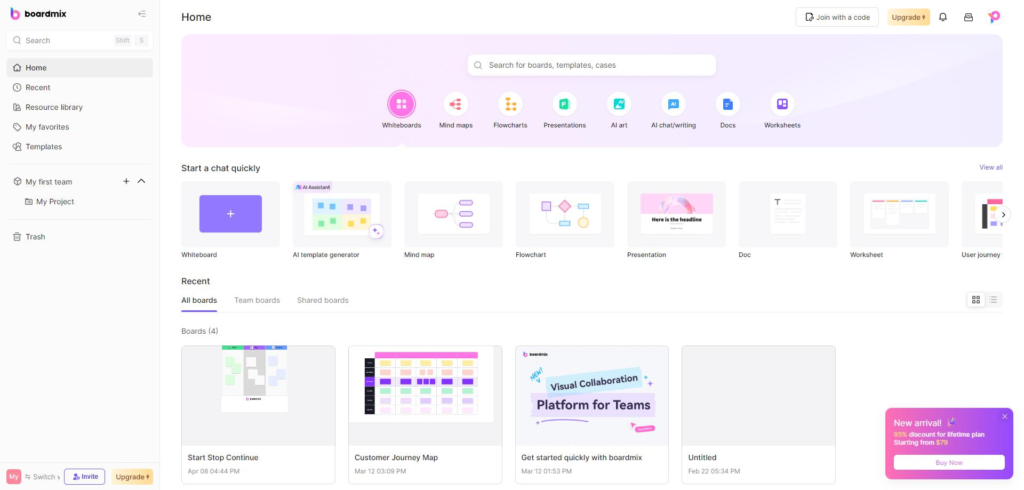
Boardmix currently runs a lifetime plan option that’s worth genuinely considering if you know you’ll be using the platform long-term. Instead of paying a recurring subscription indefinitely, the lifetime plan lets you pay once and keep access to the core toolkit going forward, which is a meaningfully different value proposition compared to most SaaS pricing models that quietly add up over years of use. It comes bundled with additional AI credits, expanded storage, and access to future feature updates, so you’re not locked into an outdated version while everyone on a subscription plan gets the good stuff.
There are multiple lifetime tiers depending on team size, so whether you’re a solo consultant, a small team, or a larger department, there’s a version of the deal built around your actual headcount rather than a one-size-fits-all offer that overcharges smaller teams or underserves bigger ones. Watermark-free exports, unlimited folders and boards, and full access to the icon and drawing element library are all part of the package too, which removes the usual friction of hitting an artificial limit halfway through a real project.
Why It’s Genuinely Worth Choosing Boardmix
The reason Boardmix keeps earning long-term users instead of just curious sign-ups comes down to how complete the whole package feels once you’re actually inside it. It’s not just a whiteboard with some templates thrown on top — it’s a genuine ecosystem spanning diagramming, workflow management, AI-assisted creation, and even adjacent tools like UI design and presentation building, all connected instead of siloed. For teams that have been stitching together separate apps for mind mapping, flowcharting, sprint planning, and slide decks, consolidating all of that into one place saves a real amount of context-switching and subscription fatigue.
The AI integration in particular sets it apart from a lot of competitors that are still treating AI as a bonus feature rather than a core part of the workflow. Being able to generate a SWOT analysis, a user persona, or a full flowchart from a simple prompt and then keep refining it collaboratively on the same canvas is the kind of workflow that genuinely changes how fast a team can move from idea to execution.
Add in a template library that removes the blank-page problem, real-time collaboration that scales from small teams to much larger audiences, and a lifetime pricing option that rewards long-term commitment instead of punishing it with endless renewals, and Boardmix stops looking like just another whiteboard app in a crowded market. It starts looking like the tool a team settles into and never really needs to replace.
If your team has been bouncing between a mind mapping app, a separate flowchart tool, and yet another app for meeting notes, this is a genuinely good moment to consolidate all of that into one workspace and see how much smoother planning actually feels.